Organization leader
Needs an account? Yes
Athletic director, booster club president, school principal, nonprofit executive director
Sets up the organization once, brings on team leaders, connects the bank account, sees every dollar
 Let's Raise It
Product guide
Let's Raise It helps schools, nonprofit sports programs, clubs and other groups run fundraisers where each participant has their own page and every dollar flows to one organization account.
Your organization sits at the top, and every team, campaign and participant underneath shares its bank account, branding and rules.
Organization
Run by organization leaders: one bank account, brand and set of rules
Team: Varsity soccer
Run by coaches and team leaders
Campaign: Spring travel fund
Goal, dates, story and a team page
Participants
Each shares a personal page. Parents and guardians can help.
Team: Marching band
Run by coaches and team leaders
Campaign: New uniforms
Goal, dates, story and a team page
Participants
Each shares a personal page. Parents and guardians can help.
Supporters
Give on a participant or campaign page, no account needed
Each team can run as many campaigns as it likes, and a participant can raise money for more than one team under the same login.
Five kinds of people use Let's Raise It, and each one sees only what they need. One person can hold more than one role, such as a coach who is also a parent, all under a single login.
Needs an account? Yes
Athletic director, booster club president, school principal, nonprofit executive director
Sets up the organization once, brings on team leaders, connects the bank account, sees every dollar
Needs an account? Yes
Head coach, assistant coach, club advisor, troop or band leader, parent volunteer
Builds a roster, launches a campaign, keeps participants active
Needs an account? Yes, claimed from an invite or join code
Student-athlete, band member, club member, scout
Shares a personal page with family and friends and watches the support come in
Needs an account? Yes, linked to the participant
Mom, dad, grandparent, legal guardian
Helps a young participant reach their people
Needs an account? No
Grandparents, neighbors, family friends, local businesses
Gives quickly and gets a receipt
You can rename “team” and “player” to fit your group, for example “program” and “member”, and the app uses your words throughout.
The organization leader sets things up once, and every team and campaign underneath inherits the same bank account, branding and rules. Think of the athletic director of a high school, the president of a youth league, or the director of a community nonprofit.
Organization leaders are the only people who can see payouts and banking.
Coaches and team leaders do the day-to-day fundraising work, and the app is built so they can do it from a phone between practices or rehearsals. Examples include a varsity coach, a robotics club advisor, a choir director, or a parent who volunteers to run the fundraiser.
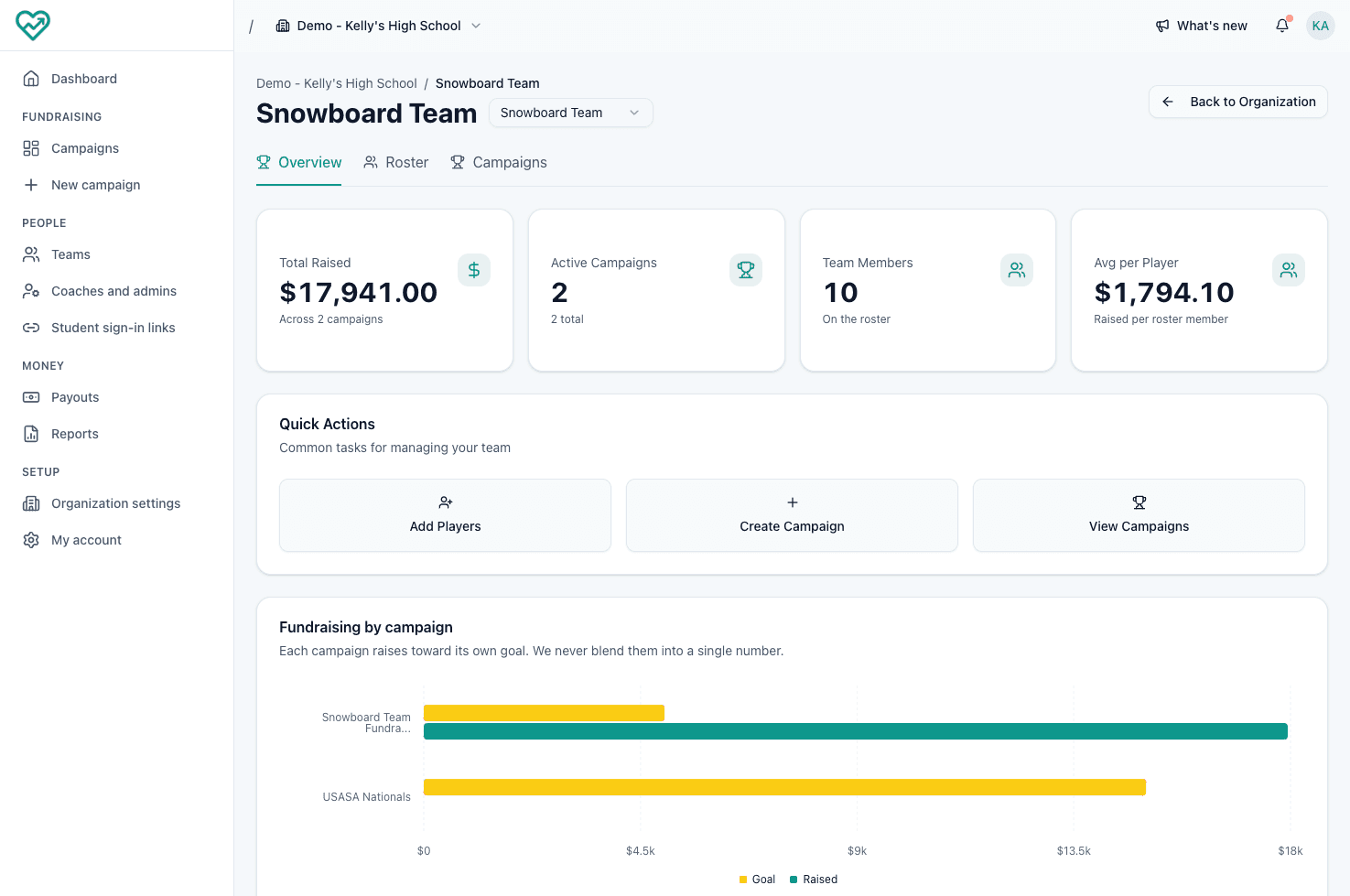
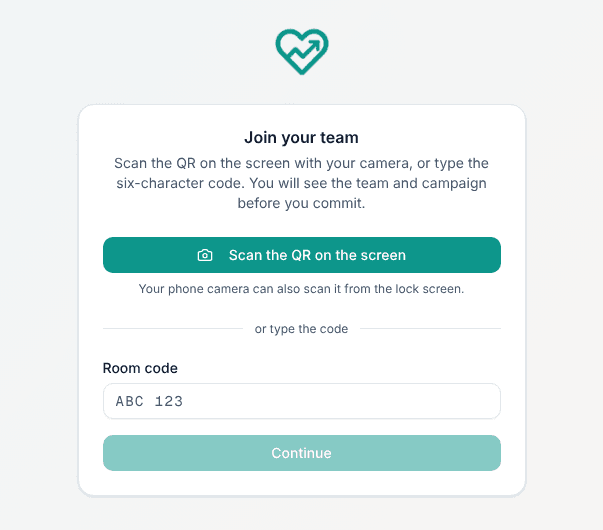
Anyone who creates a campaign can manage that campaign, even if they aren't the team's coach.
Participants are the heart of every campaign: each one gets a personal page and asks their own people for support. They might be a student-athlete, a marching band member, a debate team member, or a scout.
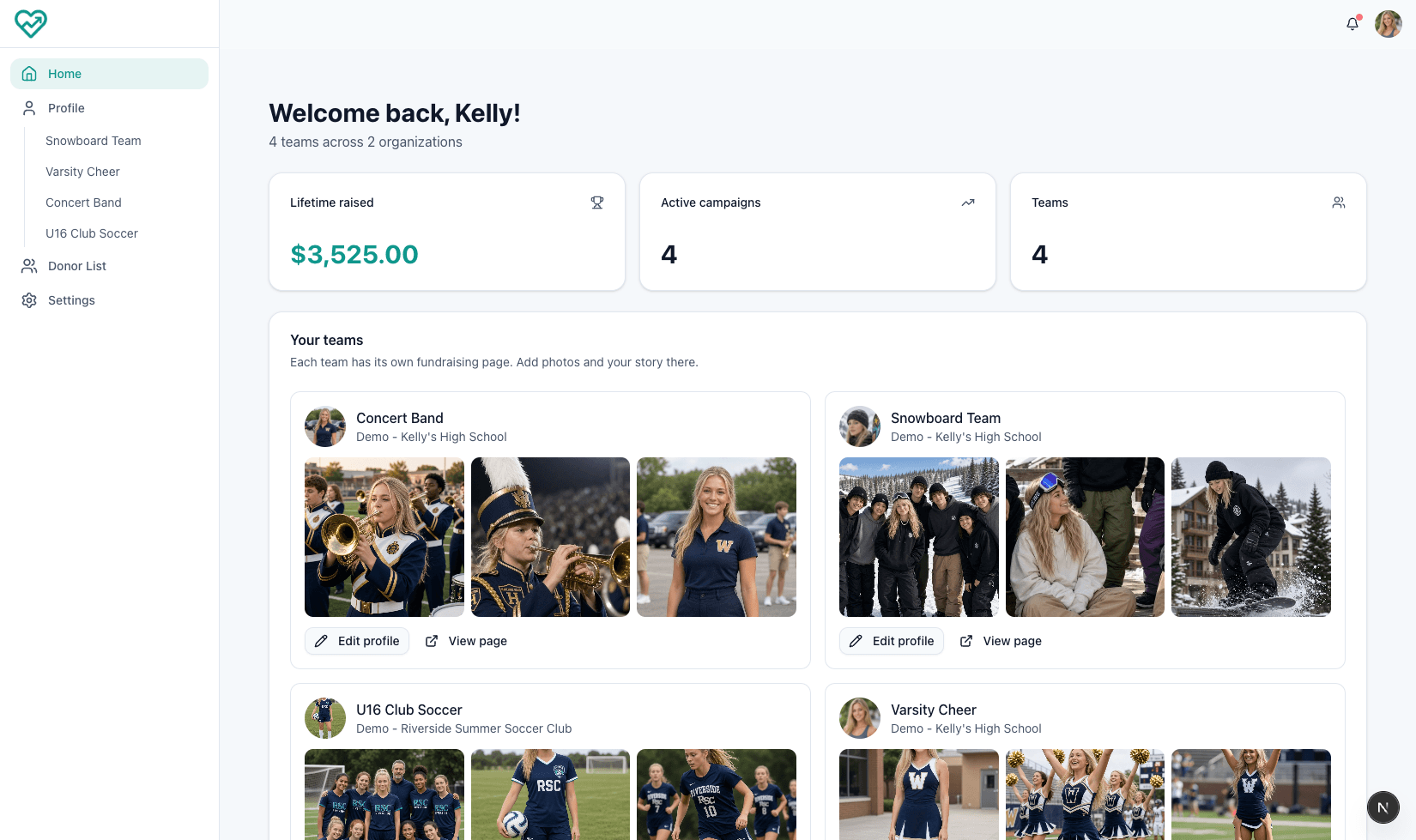
Participants see only their own page, contacts and supporters. They can't change campaign settings or see other participants' contact lists.
A parent or guardian can be linked to a participant and share in their outreach: contacts, messages and supporters. This matters most for younger participants, whose parents often know the people most likely to give.
Parents don't need to belong to the organization, and they can't change campaign or team settings.
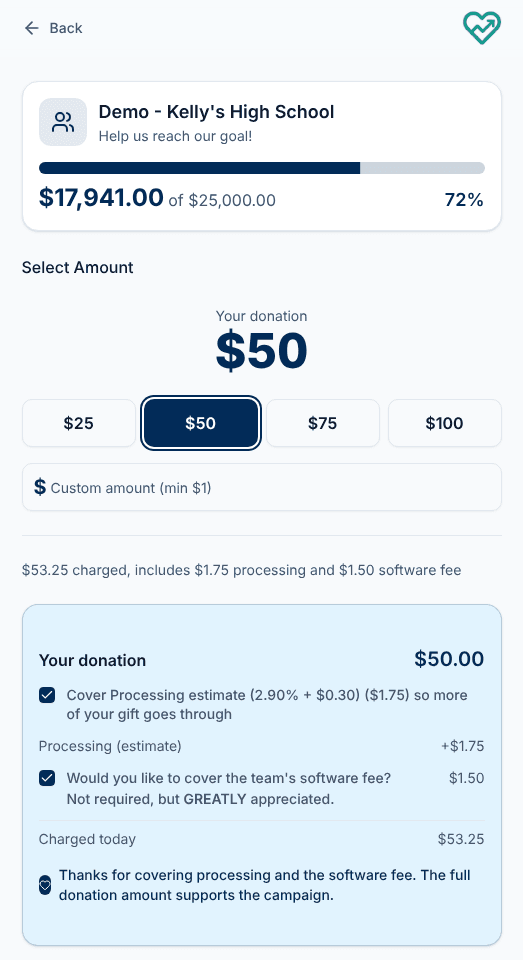
Supporters give in about a minute, without creating an account. They're the grandparents, neighbors, family friends and local businesses who get a text, email or social post from a participant.
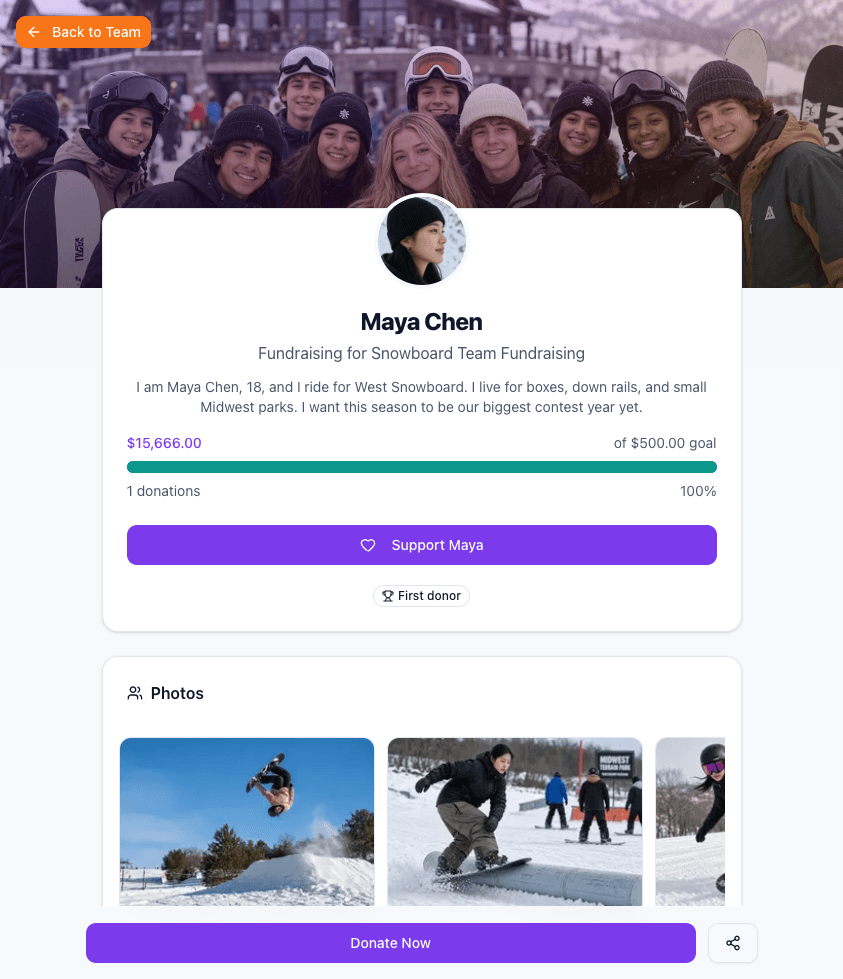
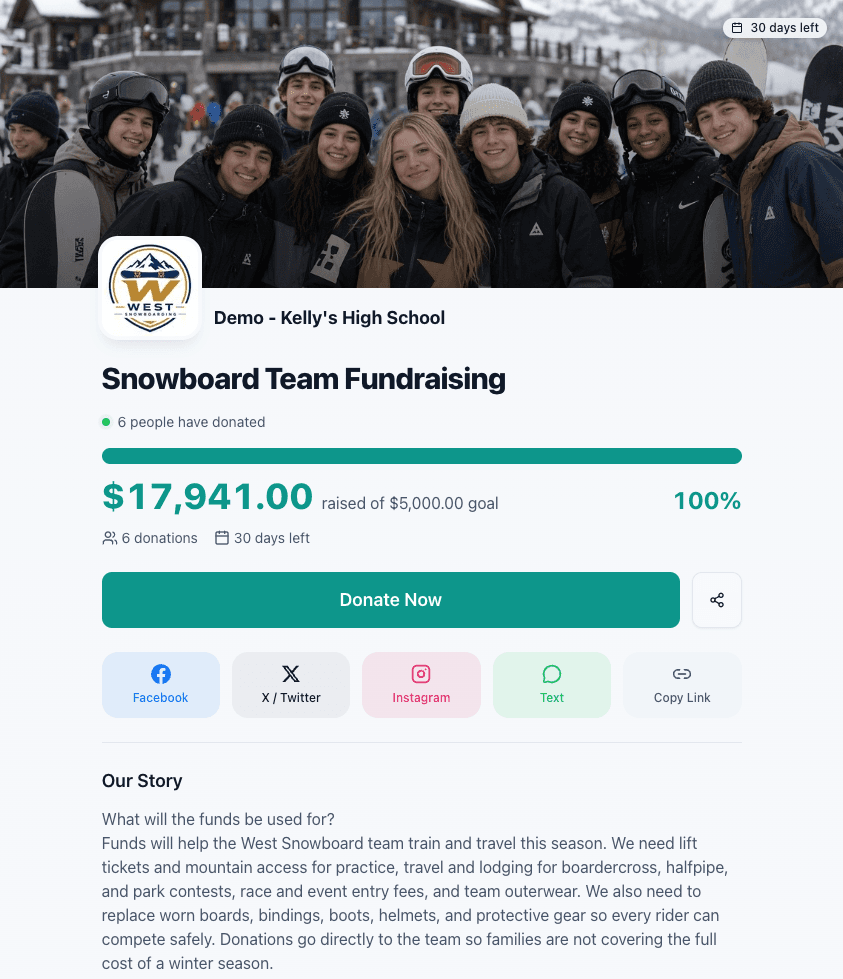
Supporters can choose to get updates from the fundraiser. That box is never checked for them. They never see the organization's or coach's tools, and their personal details stay private.
Each person's access follows their role, so nobody sees more than they need.
Scroll sideways to compare roles.
| Task | Organization leader | Coach or team leader | Participant | Parent or guardian | Supporter |
|---|---|---|---|---|---|
| Set up the organization, branding and policies | Yes | No | No | No | No |
| Connect the bank account, see payouts and reports | Yes | No | No | No | No |
| Invite and approve coaches | Yes | No | No | No | No |
| Create a team | Yes | If the leader allows it | No | No | No |
| Manage a team's roster | All teams | Their own teams | No | No | No |
| Create, edit and launch campaigns | All teams | Their own teams | No | No | No |
| Match an unassigned gift to a participant | Yes | Their own teams | No | No | No |
| Edit a personal fundraising page | No | No | Their own | No | No |
| Manage contacts and send personal messages | No | No | Their own | For their child | No |
| See gifts and thank supporters | All teams | Their own teams | Their own | For their child | No |
| Give | Yes | Yes | Yes | Yes | Yes, no account needed |
A person who holds more than one role, such as a coach who also has a child fundraising, gets the combined access of both.
Set up your organization, invite your coaches, and start collecting gifts. Launch takes less than a minute once your profile is in place.
Start Fundraising